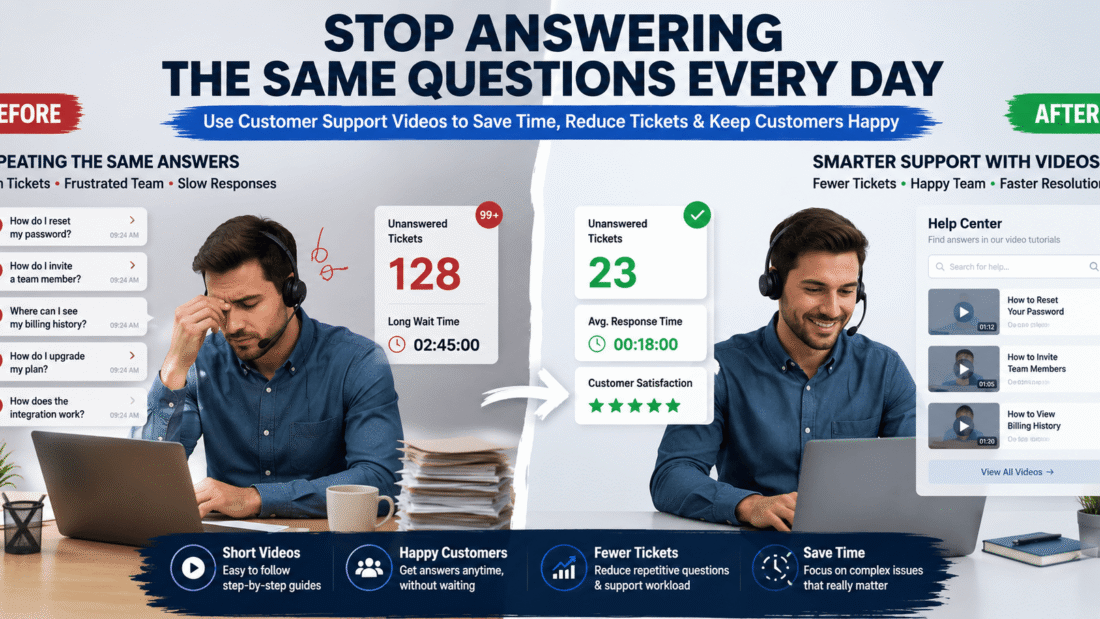
customer support video

Why Your SaaS Support Team Is Answering the Same Questions Every Day

A customer support video can end the endless loop of answering the same question, again and again. If your support team feels stuck on repeat, this article is for you.

Picture this. Your support inbox opens on a Monday morning. Ten tickets sit there. Eight of them ask the exact same thing they asked last week. Your team feels tired before the day even starts.

This is exactly what happened to a support manager named Yusuf. His SaaS company grew fast. But his support team grew exhausted. The same five questions kept showing up, day after day, from different customers.

Yusuf didn’t need more support agents. He needed a smarter way to answer common questions before they became tickets. This article shows you exactly how he did it, and how a customer support video can do the same for your team.

Learn more

App Demo Videos That Drive More Downloads and Conversions

Why Support Teams Keep Answering the Same Questions Without a Support Video

Most SaaS products have a few tricky features. New users hit the same confusion points every time.

Here’s what usually causes repeat questions:

  • Unclear onboarding steps
  • Features that aren’t self-explanatory
  • Written help docs that are too long or hard to skim

Yusuf’s team spent hours each week typing the same answers into chat. It felt like a broken record.

The Real Cost of Repetitive Support Tickets Without Support Videos

Every repeated question costs your team time. Time adds up fast.

Yusuf tracked his team’s data for one month:

  1. 62% of tickets were repeat questions
  2. Each repeat ticket took 8 minutes to answer
  3. That added up to over 20 hours a week, just on repeats

Twenty hours a week is half a full-time employee’s schedule. All spent typing the same answers.

Learn more

Why Most SaaS Apps Fail to Convert New Users (And How App Demo Videos Fix the Problem)

How a Customer Support Video Solves This Problem

A customer support video shows customers exactly what to do, using visuals instead of long text.

Instead of writing paragraphs, Yusuf’s team recorded short screen videos answering their top five questions.

Here’s what changed:

  • Customers watched a 90-second video instead of waiting for a chat reply.
  • Support agents linked the video directly in the help center.
  • New users found answers on their own, without opening a ticket.

Within six weeks, repeat tickets dropped by 35%.

Learn more

Enterprise Prospects Keep Asking for Product Demos? Here’s How to Scale Sales Without More Meetings

Step-by-Step: Building Your Own Support Video Library

You don’t need fancy equipment to start. Follow these simple steps:

Step 1: Find Your Top Repeat Questions

Look at your last 30 days of support tickets. Sort them by topic. Your top five questions are your starting point.

Step 2: Keep Each Video Short

Aim for 60 to 90 seconds per video. Show the exact steps on screen, with simple narration.

Step 3: Add Videos to Your Help Center

Place each video next to its matching written answer. Some customers prefer reading, others prefer watching.

Step 4: Link Support Videos Inside Chat Replies

When a repeat question comes in, agents can share the video link instead of retyping the same answer.

Step 5: Update Your Support Videos When Features Change

Outdated videos confuse customers more than no video at all. Review them every few months.

Learn more

Why Free Trial Users Don’t Convert Into Paying Customers (Even When They Love the Product)

Real Results from Adding Video to Support

Yusuf’s team saw clear wins after adding video answers:

  • 35% fewer repeat tickets within six weeks
  • 20% faster average response time, since agents reused video links
  • Higher customer satisfaction scores, since answers were clearer

These numbers came from comparing three months before and after launching the videos.

Common Mistakes to Avoid

Even a good idea can fail with the wrong approach. Watch out for:

  • Making videos too long or too detailed
  • Forgetting to update videos after product changes
  • Not tracking which videos actually reduce tickets
  • Hiding videos where customers can’t easily find them

Conclusion: Let Video Handle the Repeat Questions

Your support team shouldn’t spend hours typing the same answers every week. A customer support video lets customers help themselves, while your team focuses on harder problems.

Start with your top five questions. Keep each video short and clear. Track your ticket numbers before and after.

Like Yusuf’s team, you may find your support inbox gets quieter, and your customers get happier.

FAQs

Q1. What is a customer support video used for?

A. It answers common customer questions with a short screen recording, so customers get help without waiting for a live agent.

Q2. How long should a support video be?

A. Keep it between 60 and 90 seconds. Short, focused videos work better than long tutorials.

Q3. Do support videos replace live chat agents?

A. No. They handle repeat, simple questions, freeing up agents for complex customer issues.

Q4. Where should I place support videos?

A. Add them to your help center and inside chat replies, so customers can find them wherever they ask their question.

Q5. How often should I update support videos?

A. Review them every few months, and update immediately after any major product or feature change.

interactive product demo

Enterprise Prospects Keep Asking for Product Demos? Here’s How to Scale Sales Without More Meetings

An interactive product demo can save your sales team from burning out on back-to-back calls. If your calendar is packed with demo requests, but your close rate isn’t growing, something in your process is broken.

This is a problem many B2B sales leaders know too well. A sales director named Farah managed a team of six reps. Every week, they ran over 40 live demo calls. Deals still moved slowly. Reps felt exhausted. Something had to change.

Farah’s story isn’t unique. As companies grow, enterprise buyers ask for more proof before they commit. More stakeholders want to see the product. More meetings get scheduled. But more meetings don’t always mean more sales.

This article shows you exactly how Farah’s team scaled their sales process using an interactive product demo, without hiring more reps or booking more calls. You’ll learn what worked, what didn’t, and how you can apply the same approach.

Learn more

App Demo Videos That Drive More Downloads and Conversions

What Is an Interactive Product Demo?

An interactive product demo is a self-guided walkthrough of your product. Prospects click through it on their own time, just like using the real software.

Unlike a video, it responds to clicks. Unlike a live call, it doesn’t need a rep present.

This simple shift changes everything about how buyers explore your product.

Why Enterprise Prospects Keep Asking for More Demos

Enterprise deals involve many decision-makers. Each one wants to see the product before signing off.

Here’s what usually happens:

  • The IT team wants a security walkthrough.
  • The finance team wants to see reporting features.
  • The end users want to see daily workflows.

Without a scalable solution, your sales team ends up repeating the same demo three or four times per deal.

Farah’s team was stuck in this exact loop. One deal alone needed five separate live demos before it closed.

Learn more

Why Most SaaS Apps Fail to Convert New Users (And How App Demo Videos Fix the Problem)

The Real Cost of Manual Demo Meetings

Live demos feel personal, but they come with a hidden cost.

Each meeting takes:

  1. Time to schedule across time zones
  2. 30 to 60 minutes of live presentation
  3. Follow-up emails and rescheduling when someone can’t attend

Multiply this across dozens of deals, and your sales team spends more time presenting than closing.

Farah calculated her team’s numbers. Reps spent nearly 15 hours a week just on demo calls. That’s almost two full working days lost to repetition.

Learn more

App Retention Rate: Why Users Delete Your App After First Use (And How Demo Videos Reduce Churn)

How an Interactive Demo Changes the Sales Process

Farah’s team built a simple, self-guided walkthrough of their core product features. They shared the link after the first qualifying call.

Here’s what changed:

  • Stakeholders explored the product without waiting for a live call.
  • Reps only jumped on calls for high-intent, ready-to-buy prospects.
  • Deal cycles shortened because buyers self-educated faster.

Within two months, Farah’s team cut live demo calls by 40%. Their close rate went up, not down.

Learn more

Your SaaS Has Too Many Features? Here’s Why Users Feel Overwhelmed and Leave

Step-by-Step: How to Build Your Own Interactive Product Demo Strategy

You don’t need a big budget to start. Follow these steps:

Step 1: Map Your Buyer’s Journey

Identify where prospects usually get stuck asking for repeated demos. This is where a guided walkthrough helps most.

Step 2: Build a Focused Walkthrough

Keep it short. Show the top three features that solve your buyer’s biggest problem, not your entire product.

Step 3: Personalize by Buyer Type

Create separate paths for technical buyers, finance buyers, and end users. Each group cares about different things.

Step 4: Share It Early in the Sales Process

Send your demo link right after a discovery call. Let prospects explore before you schedule a live meeting.

Step 5: Track Engagement Data

Good demo tools show you which slides or features prospects spend the most time on. Use this data to guide your next conversation.

Real Results from Scaling with an Interactive Product Demo

Farah’s team saw three major wins after making the switch:

  • 40% fewer live demo calls per month
  • 18% shorter sales cycles on enterprise deals
  • 25% higher lead-to-opportunity conversion, since only serious buyers booked live calls

These numbers came from six months of tracked data, compared against the previous six months.

Common Mistakes to Avoid

Even with the right tool, teams can get this wrong. Watch out for:

  • Making the demo too long or feature-heavy
  • Skipping personalization for different buyer roles
  • Not following up after prospects engage with the demo
  • Treating it as a replacement for all human interaction, instead of a filter

Conclusion: Scale Enterprise Sales with an Interactive Product Demo

You don’t need more meetings to close more deals. You need a smarter way for buyers to explore your product on their own.

An interactive product demo lets your team focus energy where it matters most, on ready-to-buy prospects, not repeat presentations.

Start small. Build one guided walkthrough. Track the results. Like Farah’s team, you may find your sales cycle gets shorter while your calendar gets lighter.A. Track engagement time, which features get the most clicks, and how many viewers convert to a live meeting request.

    FAQs

    Q1. What is an interactive product demo used for?

    A. It lets prospects explore your product on their own, without waiting for a live sales call. This speeds up buyer education and shortens sales cycles

    Q2. Does an interactive demo replace live sales calls?

    A. No. It filters out early-stage browsing so your team can focus live calls on serious, ready-to-buy prospects.

    Q3. How long should a product demo walkthrough be?

    A. Keep it short and focused. Highlighting three to five key features usually works better than showing your entire product.

    Q4. Can small sales teams benefit from this approach?

    A. Yes. Even a two-person sales team can save hours each week by letting prospects self-explore before booking a call.

    Q5. What metrics should I track after launching a self-guided demo?

    A. Track engagement time, which features get the most clicks, and how many viewers convert to a live meeting request.

    free trial conversion

    Why Free Trial Users Don’t Convert Into Paying Customers (Even When They Love the Product)

    Free trial conversion is the silent killer of great products. Your users love the app. They use it every day. Then the trial ends, and they simply walk away.

    This happens more often than you think. A SaaS founder named Aran built a project management tool his users praised in every review. His free trial sign-ups were high. His churn after the trial? Also high.

    He was confused. If people loved the product, why weren’t they paying for it? After digging into his data, he found the real problem wasn’t the product. It was the trial experience itself.

    This article breaks down exactly why free trial conversion fails, even with a product people genuinely love. You’ll get real examples, simple fixes, and a clear path to turning more trial users into loyal, paying customers.

    Learn more

    App Demo Videos That Drive More Downloads and Conversions

    What Free Trial Conversion Really Means

    Free trial conversion is the percentage of trial users who become paying customers.

    Here’s the formula:

    Conversion Rate = (Paying Customers ÷ Total Trial Users) × 100

    Most SaaS companies see conversion rates between 15% and 25%. If your number is much lower, something in your trial journey needs attention.

    Reason 1: Users Never Reach Their ‘Aha Moment’

    Every great product has a moment where the user thinks, “Wow, this is exactly what I needed.”

    If users leave your trial before reaching that moment, they never feel the product’s true value.

    Aran discovered most of his trial users quit after just one login. They never created their first project. They never saw the tool’s real power.

    Fix it by:

    • Guiding new users to their first success within 5 minutes.
    • Using a simple onboarding checklist.
    • Sending a helpful email on day one, not day seven.

    Reason 2: How Trial Length Affects Free Trial Conversion

    A 7-day trial for the wrong product can hurt free trial conversion badly.

    Complex tools, like accounting or project software, often need more time. Simple tools, like a photo editor, need less.

    Aran’s tool needed real project data to shine. His 7-day trial was too short for teams to test it properly. He extended it to 14 days, and conversions improved.

    Learn more

    Why Most SaaS Apps Fail to Convert New Users (And How App Demo Videos Fix the Problem)

    Reason 3: Why Trial End Reminders Improve Free Trial Conversion

    This sounds simple, but it’s one of the biggest reasons for lost free trial conversion.

    Many users forget they’re even on a trial. Then it ends, access disappears, and they move on without a second thought.

    Simple reminders that work:

    1. Email at 3 days remaining
    2. Email at 1 day remaining
    3. In-app banner showing days left
    4. A clear “upgrade now” button on the dashboard

    Learn more

    Why Users Download Your SaaS App But Never Complete Setup (And How Demo Videos Fix Time-to-Value)

    Reason 4: No Clear Reason to Upgrade

    Users love the free version. But if paying doesn’t offer something clearly better, why would they?

    This is one of the most overlooked parts of free trial conversion strategy.

    Aran’s paid plan barely differed from his trial. He fixed this by adding valuable features only available after upgrading, like team collaboration and advanced reports.

    Reason 5: Pricing Feels Confusing or Risky

    If users don’t understand your pricing, they hesitate. Hesitation kills free trial conversion.

    Common pricing mistakes include:

    • Too many plan options
    • Hidden fees mentioned late
    • No clear refund or cancellation policy

    Keep pricing simple. Show exactly what each plan includes. Make cancellation easy to find, not hidden in a maze of settings.

    Learn more

    80% of U.S. Users Won’t Download an App They Don’t Understand Here’s the Fix (App Demo Video)

    How to Improve Free Trial Conversion: A Simple Action Plan

    Here’s what actually moved the needle for Aran’s business:

    1. Shorten time to value – Help users succeed in their first session.
    2. Match trial length to product complexity – Give complex tools more time.
    3. Send smart reminder emails – Tell users exactly when the trial ends.
    4. Highlight upgrade benefits – Make paying feel like an obvious next step.
    5. Simplify pricing – Remove confusion, add trust.

    Within two months, Aran’s free trial conversion rate rose from 9% to 21%. Same product. Better trial experience.

    Conclusion: Turn Trial Love Into Paying Customers

    A great product isn’t enough. Free trial conversion depends on guiding users to value quickly, reminding them clearly, and making the upgrade decision easy.

    Start small. Fix one reason at a time. Track your numbers every month.

    Just like Aran, you might find your product was never the problem. The trial journey was.

    FAQs

    Q1. What is a good free trial conversion rate?

    A. Most SaaS companies aim for 15% to 25%. Anything above 25% is considered strong for most industries.

    Q2. How long should a free trial last?

    A. It depends on your product. Simple tools work well with 7-day trials, while complex tools often need 14 to 30 days to show real value.

    Q3. Why do users forget their trial is ending?

    A. Many products don’t send clear reminders. Adding email alerts and in-app banners keeps the trial deadline visible and top of mind.

    Q4. Does pricing affect free trial conversion?

    A. Yes. Confusing or risky-looking pricing makes users hesitate. Simple, transparent pricing builds trust and improves conversion.

    Q5. What is the “aha moment” in a free trial?

    A. It’s the point where a user clearly sees the product’s value. Reaching this moment quickly is one of the biggest drivers of free trial conversion.

    feature adoption

    Your SaaS Has Too Many Features? Here’s Why Users Feel Overwhelmed and Leave

    Feature adoption problems often start with good intentions.

    Your team spends months building new features. Customers ask for improvements. Developers deliver them. The product becomes more powerful with every update.

    Then something unexpected happens.

    Users sign up, explore the product for a few minutes, and leave. They never discover the features your team worked so hard to build.

    If this sounds familiar, you are not alone. Many SaaS companies struggle with feature adoption because users feel overwhelmed long before they understand the product’s value.

    The good news is that the problem is usually not the number of features. The real problem is how those features are introduced to users.

    ALSO READ

    App Demo Videos That Drive More Downloads and Conversions

    Why Poor Feature Adoption Happens in Feature-Rich SaaS Products

    Many SaaS companies believe more features automatically create more value.

    In reality, too many options can create confusion.

    Imagine walking into a restaurant with a 50-page menu. Instead of feeling excited, you might feel overwhelmed.

    Software works the same way.

    When users see too many choices at once, they often avoid making any choice at all.

    As a result, feature adoption suffers.

    Learn more

    Why Most SaaS Apps Fail to Convert New Users (And How App Demo Videos Fix the Problem)

    Common Feature Adoption Mistakes That Prevent User Success

    Too Many Features Introduced at Once

    Many onboarding experiences try to explain every feature immediately.

    Users are shown dashboards, reports, settings, integrations, and automation tools within minutes.

    Most people cannot process that much information at once.

    No Clear Starting Point

    Users need direction.

    When everything looks important, nothing feels important.

    Without a clear first step, users become uncertain and stop exploring.

    Features Are Explained Without Context

    A feature may be powerful, but users need to understand why it matters.

    Showing a feature without explaining the problem it solves often leads to confusion.

    Users Never Reach Their First Win

    The fastest way to keep users engaged is to help them achieve something meaningful.

    When users do not experience a quick success, they often leave before discovering the product’s value.

    Learn more

    80% of U.S. Users Won’t Download an App They Don’t Understand Here’s the Fix (App Demo Video)

    A Real Feature Adoption Case Study: More Features, Fewer Active Users

    A SaaS company providing marketing automation software faced a surprising challenge.

    Over several years, the company added advanced reporting, workflow automation, lead scoring, analytics dashboards, and dozens of other features.

    The product became stronger than ever.

    Yet user engagement started to decline.

    New customers logged in but rarely used advanced functionality.

    After reviewing customer behavior, the company discovered a simple issue.

    Users felt overwhelmed.

    They could not determine which features mattered most.

    To solve the problem, the company created short demo videos that introduced features in stages.

    Instead of showing everything at once, users learned:

    1. The most important feature first
    2. The next logical feature later
    3. Advanced tools only after achieving success

    Feature usage increased because users understood the value of each feature before moving to the next one.

    Learn more

    Why Your SaaS App Isn’t Growing in the U.S. Market (Even With Paid Ads): A SaaS Growth Strategy Guide

    How Feature Overload Increases User Churn

    Feature overload affects more than onboarding.

    It also impacts retention.

    When users feel confused, they often:

    • Stop exploring the product
    • Ignore important features
    • Contact support more often
    • Fail to achieve desired results
    • Switch to simpler competitors

    Over time, these behaviors increase churn and reduce customer lifetime value.

    How Demo Videos Improve Feature Adoption

    They Show Features in Context

    Demo videos explain not only what a feature does but why it matters.

    Users see real examples instead of abstract descriptions.

    This makes learning easier.

    They Reduce Cognitive Load

    Cognitive load refers to the amount of information users must process.

    When users receive information in small, visual steps, they learn faster and remember more.

    Demo videos help simplify complex products.

    They Help Users Discover Value Faster

    People stay engaged when they experience benefits quickly.

    Short feature-focused videos guide users toward meaningful outcomes.

    This improves product adoption and user satisfaction.

    They Encourage Progressive Learning

    Users do not need every lesson on day one.

    Demo videos allow businesses to introduce features gradually.

    This creates a smoother learning experience.

    Signs Your SaaS Has a Feature Adoption Problem

    Your product may have a feature adoption issue if you notice:

    • Low usage of important features
    • High customer churn
    • Frequent support questions
    • Low user engagement
    • Poor product adoption metrics
    • Customers saying the product feels complicated

    These signs often indicate that users are struggling to understand where value exists.

    How to Increase Feature Adoption Without Redesigning Your Product

    You do not always need a major redesign.

    Small improvements can make a big difference.

    Focus on Core Features First

    Help users master one important feature before introducing additional functionality.

    Create Guided Learning Paths

    Show users what to learn next instead of expecting them to discover everything alone.

    Use Short Demo Videos

    Break complex topics into simple lessons.

    Short videos are easier to consume than lengthy documentation.

    Highlight Real Outcomes

    Focus on the results users achieve rather than feature lists.

    People care more about outcomes than technical capabilities.

    Why Better Feature Adoption Leads to Higher Retention and Revenue

    Successful SaaS companies understand a simple truth.

    Features only create value when users actually use them.

    When feature adoption improves, businesses often experience:

    • Higher user engagement
    • Better customer retention
    • Increased trial-to-paid conversions
    • Greater product adoption
    • Higher customer lifetime value

    The goal is not to build more features.

    The goal is to help users succeed with the features you already have.

    Conclusion

    Poor feature adoption is often the hidden reason users leave SaaS products that seem powerful on paper.

    When users feel overwhelmed, they struggle to discover value and fail to reach important success milestones. The result is lower engagement, reduced retention, and higher churn.

    The solution is not always fewer features. It is better guidance. By using demo videos, simplifying learning paths, and introducing features gradually, SaaS companies can improve feature adoption and help users gain value faster. When users understand how your product helps them succeed, they are far more likely to stay.

    FAQs

    Q1. What is feature adoption in SaaS?

    A. Feature adoption measures how many users actively use a specific feature after discovering it. Strong feature adoption often leads to better engagement and retention.

    Q2. Why do users ignore important SaaS features?

    A. Users often ignore features when they feel overwhelmed, lack guidance, or do not understand how the feature helps solve a problem.

    Q3. How do demo videos improve feature adoption?

    A. Demo videos show users how features work in real situations. This makes learning easier and helps users understand value faster.

    Q4. What is feature overload?

    A. Feature overload happens when users are exposed to too many options at once. This can create confusion and reduce product adoption.

    Q5. How can SaaS companies increase feature adoption?

    A. Companies can improve feature adoption by simplifying onboarding, introducing features gradually, using demo videos, and focusing on user outcomes instead of feature lists.

    user onboarding process

    Why Users Download Your SaaS App But Never Complete Setup (And How Demo Videos Fix Time-to-Value)

    User onboarding process failures cost SaaS companies thousands of potential customers every month.

    A user downloads your app, creates an account, and seems interested. Then they disappear before completing setup. There is no activation, no subscription, and no revenue.

    If this sounds familiar, you are facing one of the most common SaaS growth problems. Many companies focus on getting more downloads while ignoring what happens after users sign up.

    The reality is simple. If users cannot reach value quickly, they leave.

    The good news is that this problem can be fixed. App demo videos help users understand your product faster, complete setup, and reach their first success moment sooner.

    ALSO READ

    App Demo Videos That Drive More Downloads and Conversions

    Why the User Onboarding Process Fails Before Users Complete Setup

    Most SaaS founders assume users leave because the product is not good enough.

    In many cases, the product is not the problem.

    The real issue is that users get stuck during onboarding.

    Imagine buying a new piece of furniture without instructions. Even if the furniture is high quality, the setup feels frustrating.

    Software works the same way.

    When users feel lost, they quit.

    Learn more

    Why Most SaaS Apps Fail to Convert New Users (And How App Demo Videos Fix the Problem)

    Common User Onboarding Process Mistakes That Drive Users Away

    Too Many Steps Before Value

    Many apps ask users to:

    • Complete long profiles
    • Connect multiple tools
    • Configure settings
    • Learn several features

    Before users see any benefit, they already feel overwhelmed.

    No Clear Next Step

    Users need guidance.

    When they log in and see a complex dashboard, they often ask themselves:

    “What should I do first?”

    If the answer is not obvious, they leave.

    Information Overload

    Some SaaS companies try to explain everything immediately.

    This creates confusion instead of confidence.

    New users only need enough information to achieve their first win.

    Poor Time-to-Value

    Time-to-value measures how quickly users experience the benefit of your product.

    The longer it takes, the higher the chance users abandon the app.

    Learn more

    App Retention Rate: Why Users Delete Your App After First Use (And How Demo Videos Reduce Churn)

    A Real User Onboarding Process Case Study: Thousands of Downloads, Low Activation

    A SaaS company offering project management software faced a frustrating problem.

    Every month, they generated hundreds of new signups through paid advertising.

    At first, everything looked successful.

    However, their analytics told a different story.

    Most users:

    • Created accounts
    • Logged in once
    • Never completed setup
    • Never created their first project

    The company discovered that users did not understand where to start.

    Their solution was surprisingly simple.

    They added a short onboarding demo video that showed users exactly how to:

    1. Create a project
    2. Add team members
    3. Assign tasks
    4. Track progress

    Within weeks, more users completed setup and reached their first success milestone.

    The product remained the same.

    The onboarding experience improved.

    Learn more

    App User Engagement: Why U.S. Users Download Your App But Don’t Use It (And How Demo Videos Fix Activation)

    Why the User Onboarding Process Directly Impacts Revenue

    Every user who abandons setup represents lost revenue.

    Poor onboarding often leads to:

    • Low activation rates
    • Lower trial conversions
    • Reduced feature adoption
    • Higher support costs
    • Increased churn

    Many SaaS businesses spend heavily on acquisition while losing users during onboarding.

    Fixing onboarding often delivers a better return than spending more on advertising.

    How Demo Videos Improve the User Onboarding Process

    They Show Instead of Tell

    People learn faster when they see actions happening.

    A two-minute demo video can explain more than several pages of documentation.

    Users understand the product faster and feel more confident.

    They Reduce Setup Friction

    Demo videos guide users through important actions.

    Instead of guessing what to do, users follow clear instructions.

    This reduces mistakes and frustration.

    They Improve User Activation

    User activation happens when someone experiences meaningful value from your product.

    Demo videos help users reach that moment faster.

    As activation improves, retention often improves as well.

    They Increase Feature Adoption

    Many users never discover valuable features.

    Demo videos highlight important functionality at the right time.

    This encourages deeper product usage.

    Signs Your User Onboarding Process Needs Improvement

    Your onboarding process may need attention if you notice:

    • High signup numbers but low activation
    • Users abandoning setup
    • Frequent support tickets
    • Poor trial-to-paid conversion rates
    • Low feature adoption
    • High customer churn

    These are warning signs that users are struggling to understand your product.

    How to Create an Effective User Onboarding Process With SaaS Demo Videos

    Focus on One Goal

    Do not explain every feature.

    Help users achieve one important outcome first.

    Keep It Short

    The best onboarding videos are usually between one and three minutes.

    Short videos maintain attention and improve completion rates.

    Use Real Product Screens

    Show the actual software.

    Users want to see exactly what they will experience.

    Highlight Quick Wins

    Focus on helping users achieve value quickly.

    The faster they succeed, the more likely they are to stay.

    End With a Clear Action

    Tell users exactly what to do next.

    A simple call-to-action can improve onboarding performance.

    Why Faster Time-to-Value Creates Better SaaS Growth

    Successful SaaS companies understand one important principle.

    Users do not buy software because of features.

    They buy software because of outcomes.

    The faster users experience those outcomes, the more likely they are to:

    • Stay engaged
    • Adopt features
    • Upgrade plans
    • Recommend the product

    This is why reducing time-to-value is one of the most effective growth strategies available.

    Conclusion

    A broken user onboarding process can quietly destroy SaaS growth, even when you have a great product and strong marketing.

    Many users download apps with good intentions. They leave because setup feels confusing, time-consuming, or overwhelming.

    App demo videos solve this problem by helping users understand the product faster, complete setup with confidence, and reach value sooner. If your SaaS app struggles with activation, adoption, or retention, improving the user onboarding process may be the highest-impact change you can make.

    FAQs

    Q1. What is a user onboarding process?

    A. A user onboarding process is the journey new users follow after signing up. It helps them learn the product, complete setup, and achieve their first success.

    Q2. Why do users abandon SaaS setup before completion?

    A. Users often leave when onboarding is confusing, too long, or lacks clear guidance. Many never reach the point where they see the product’s value.

    Q3. How do demo videos improve user onboarding?

    A. Demo videos show users exactly how to use the software. This reduces confusion, speeds up setup, and improves user activation.

    Q4. What is time-to-value in SaaS?

    A. Time-to-value is the amount of time it takes for users to experience the main benefit of a product after signing up. Shorter time-to-value usually leads to better retention.

    Q5. Can onboarding videos increase SaaS conversions?

    A. Yes. Onboarding videos help users complete setup, understand features, and reach success faster, which can improve trial-to-paid conversion rates.

    saas app onboarding

    Why Most SaaS Apps Fail to Convert New Users (And How App Demo Videos Fix the Problem)

    SaaS app onboarding fails for many businesses long before users ever see the true value of the product.

    A user signs up for your SaaS app. You celebrate the new lead. Then a week later, they disappear without ever becoming a customer.

    If this sounds familiar, you are not alone. Poor SaaS app onboarding is one of the biggest reasons new users abandon software before they experience its value.

    ALSO READ

    App Demo Videos That Drive More Downloads and Conversions

    The Hidden SaaS App Onboarding Problems Behind User Drop-Off

    Most SaaS founders believe their product is the problem when conversions are low.

    In reality, users often leave because they never understand how to use the product.

    Think about walking into a large store with no signs, no directions, and no staff. Even if the store sells exactly what you need, you might leave because finding it feels difficult.

    Many SaaS products create the same experience for new users.

    Common onboarding mistakes include:

    • Too many features shown at once
    • Long setup processes
    • Complex dashboards
    • Technical language
    • No clear next step

    As a result, users leave before reaching their first success moment.

    Learn more

    Your SaaS Has Too Many Features? Here’s Why Users Feel Overwhelmed and Leave

    Why SaaS App Onboarding Often Fails

    Users Experience Information Overload

    Many SaaS companies try to explain everything immediately.

    Instead of helping users, this creates confusion.

    A new user does not need to learn every feature. They only need enough guidance to solve their first problem.

    The Value Is Not Obvious

    Users make quick decisions.

    If they cannot understand how your software helps them within minutes, they may leave and try a competitor.

    Research consistently shows that first impressions strongly influence software adoption and retention.

    Documentation Is Often Ignored

    Many businesses rely on help articles and knowledge bases.

    The problem is simple.

    Most users do not want to read long instructions. They want to see the solution in action.

    This is where visual learning becomes important.

    Learn more

    Why Users Download Your SaaS App But Never Complete Setup (And How Demo Videos Fix Time-to-Value)

    A Real SaaS App Onboarding Example: Great Product, Poor Adoption

    A project management SaaS company noticed a troubling trend.

    Thousands of users were signing up every month. However, most never created their first project.

    The company initially believed pricing was the issue.

    After reviewing user behavior, they discovered a different problem.

    Users were confused during setup.

    The team introduced a short app demo video that showed:

    1. How to create a project
    2. How to invite team members
    3. How to assign tasks
    4. How to track progress

    Within weeks, more users completed onboarding and reached their first success milestone.

    The product did not change.

    The onboarding experience did.

    Learn more

    App Retention Rate: Why Users Delete Your App After First Use (And How Demo Videos Reduce Churn)

    What Is an App Demo Video?

    An app demo video is a short visual guide that shows users exactly how your software works.

    Instead of reading instructions, users watch real actions inside the product.

    A good app demo video explains:

    • What the product does
    • Why it matters
    • How to get started
    • What action to take next

    This creates a smoother user onboarding experience and reduces confusion.

    Learn more

    App User Engagement: Why U.S. Users Download Your App But Don’t Use It (And How Demo Videos Fix Activation)

    How App Demo Videos Improve SaaS App Onboarding

    They Reduce Learning Time

    People process visual information faster than text.

    A two-minute video can explain what might take several pages of documentation.

    This helps users gain confidence quickly.

    They Show the Fastest Path to Success

    The best onboarding experiences focus on helping users achieve one goal.

    A demo video can highlight the exact steps needed to reach that goal.

    This creates momentum and increases engagement.

    They Increase Feature Adoption

    Many SaaS products have powerful features that users never discover.

    Demo videos can introduce important capabilities naturally.

    As users understand more features, product value increases.

    They Build Trust

    When users see a clear demonstration of how the software works, uncertainty decreases.

    Trust grows because expectations become realistic.

    This is especially important for businesses selling subscription software.

    Learn more

    80% of U.S. Users Won’t Download an App They Don’t Understand Here’s the Fix (App Demo Video)

    Signs Your SaaS App Onboarding Needs Improvement

    You may have an onboarding problem if you notice:

    • High trial sign-ups but low conversions
    • Users leaving during setup
    • Low feature adoption rates
    • Frequent support requests
    • High customer churn
    • Poor retention metrics

    If several of these issues exist, improving onboarding should become a priority.

    Learn more

    Why Your SaaS App Isn’t Growing in the U.S. Market (Even With Paid Ads): A SaaS Growth Strategy Guide

    How to Create an Effective App Demo Video

    Focus on One Goal

    Avoid explaining everything.

    Choose one key action users should complete first.

    Keep It Short

    Most effective onboarding videos stay between one and three minutes.

    Short videos maintain attention and improve completion rates.

    Show Real Product Screens

    Users want to see the actual software.

    Avoid generic animations that do not reflect the real experience.

    Use Simple Language

    Speak like a helpful guide.

    Avoid technical jargon whenever possible.

    End With a Clear Next Step

    Every demo video should answer one question:

    “What should the user do next?”

    Clear direction improves activation rates.

    The Business Impact of Better SaaS App Onboarding

    When onboarding improves, several important metrics often improve as well.

    These include:

    • Higher activation rates
    • Better feature adoption
    • Increased free trial conversions
    • Lower support costs
    • Improved customer retention
    • Reduced churn

    For many SaaS businesses, onboarding optimization delivers a higher return than acquiring additional traffic.

    Why App Demo Videos Are Becoming Essential for SaaS Growth

    Software products continue to become more complex.

    At the same time, users expect faster results.

    This creates a challenge for SaaS companies.

    The businesses that succeed are often the ones that help users understand value quickly.

    App demo videos bridge the gap between product complexity and user understanding.

    Instead of leaving users to figure things out alone, they provide clear guidance that leads to faster success.

    Conclusion

    Poor SaaS app onboarding is one of the most common reasons new users fail to convert into paying customers.

    The problem is rarely the product itself. More often, users leave because they do not understand how to use it or how it can help them.

    App demo videos solve this challenge by simplifying the learning process, reducing confusion, and guiding users toward quick wins. If your SaaS product struggles with activation, adoption, or retention, improving onboarding with clear demo videos could be the change that transforms your conversion rates.

    FAQs

    Q1. What is SaaS app onboarding?

    A. SaaS app onboarding is the process of helping new users learn, set up, and successfully use a software product after signing up.

    Q2. How do app demo videos improve user onboarding?

    A. App demo videos show users exactly how the product works, making it easier to understand features and complete important setup tasks.

    Q3. Why do users leave SaaS apps after signing up?

    A. Many users leave because they feel confused, overwhelmed, or unable to see the product’s value quickly enough.

    Q4. What should be included in an app demo video?

    A. A good demo video should explain the product’s purpose, show key actions, highlight benefits, and provide a clear next step.

    Q5. Can app demo videos increase free trial conversions?

    A. Yes. By helping users reach their first success moment faster, demo videos can improve activation rates and increase free trial conversions.

    app retention rate

    App Retention Rate: Why Users Delete Your App After First Use (And How Demo Videos Reduce Churn)

    App retention rate is the real reason your app is not growing even if downloads look good.
    Users install your app… try it once… and then delete it within minutes.

    A U.S based SaaS startup came to us with this exact problem.
    Their app installs were increasing every week, but their user base was shrinking.

    They thought the issue was competition.
    But the real problem was something they couldn’t see

    Users were not getting value fast enough.

    ALSO READ

    80% of U.S. Users Won’t Download an App They Don’t Understand Here’s the Fix (App Demo Video)

    What Is App Retention Rate (Simple Explanation)

    App retention rate means:

    The percentage of users who keep using your app over time.

    For example:

    • 1,000 users install your app
    • Only 200 return after one day
      Retention rate = 20% (very low)

    A healthy retention rate depends on the app type,
    but early drop-offs are a big warning sign.

    Real Case: High Downloads, Instant Uninstalls

    When we analyzed the app, we found:

    • Users installed from paid ads
    • Most users opened the app once
    • Very few returned the next day
    • Uninstall rate was high

    This clearly showed a mobile app churn problem

    Users didn’t find enough reason to stay.

    ALSO READ

    Why Your SaaS App Isn’t Growing in the U.S. Market (Even With Paid Ads): A SaaS Growth Strategy Guide

    Why Users Delete Your App After First Use

    App Retention Rate Problem: No Instant Value

    Users expect quick results.

    If your app:

    • takes too long to show benefits
    • feels slow or confusing

    Users leave.

    App Retention Rate Problem: Poor First Experience

    First impressions matter.

    If onboarding is:

    • unclear
    • complicated
    • boring

    Users don’t come back.

    Improve App Retention Problem: No Clear Next Step

    After opening the app, users think:

    “What should I do now?”

    If there’s no clear direction,
    they exit.

    Improve App Retention Problem: No Emotional Hook

    Users stay when they feel:

    • excitement
    • progress
    • reward

    Without that, your app feels useless.

    Improve App Retention Problem: Lack of Trust

    If users don’t trust your app:

    • no reviews
    • no proof
    • no clarity

    they uninstall quickly.

    ALSO READ

    App Demo Videos That Drive More Downloads

    How Demo Videos Improve App Retention Rate (Real Strategy)

    Here’s what we did to fix the churn

    Step 1: Add a Demo Video on First Launch

    We added a short 20-second demo video that showed:

    • how the app works
    • what users will get
    • how to start

    Users understood the app instantly

    Step 2: Focus on Quick Wins

    We highlighted:

    • fast results
    • simple actions
    • easy benefits

    Users felt progress early

    Step 3: Simplify User Journey

    We reduced:

    • unnecessary steps
    • complex screens
    • confusing options

    The app became easier to use

    Step 4: Reinforce Value Continuously

    We added:

    • reminders
    • progress indicators
    • small rewards

    Users stayed engaged longer

    The Result (Real Impact)

    Within weeks:

    • App retention rate improved significantly
    • Uninstall rate dropped
    • Repeat usage increased
    • User satisfaction improved

    Same app
    Same traffic
    Better retention

    That’s the power of fixing app retention rate

    Learn more

    Why Most SaaS Apps Fail to Convert New Users (And How App Demo Videos Fix the Problem)

    Quick Checklist to Reduce App Churn

    Use this checklist:

    • Add demo video on first launch
    • Show value immediately
    • Simplify onboarding
    • Guide users clearly
    • Build trust and confidence

    Final Thought

    Downloads don’t grow your app.
    Retention does.

    If users don’t come back, your app will fail.

    Focus on improving your improve app retention, and you will see:

    • more active users
    • higher lifetime value
    • sustainable growth

    Demo videos are one of the fastest ways to reduce churn.

    Conclusion

    Most apps don’t fail because of marketing.
    They fail because of low app retention rate.

    Users try your app but they don’t stay.

    Fix that, and everything changes.

    Start with:

    • better onboarding
    • faster value delivery
    • demo videos

    Small changes can lead to massive growth.

    FAQs

    Q1. What is app retention rate?

    App retention rate measures how many users continue using your app after the first visit.

    Q2. Why do users delete apps after first use?

    Users leave when they don’t see value quickly, feel confused, or don’t trust the app.

    Q3. How do demo videos reduce app churn?

    Demo videos explain the app clearly and quickly, helping users understand value and stay longer.

    Q4. What is a good improve app retention?

    It depends on the app type, but higher retention means better user engagement and growth.

    Q5. What is the fastest way to improve retention?

    Show value fast, simplify onboarding, and guide users with clear steps and visuals.

    app user engagement

    App User Engagement: Why U.S. Users Download Your App But Don’t Use It (And How Demo Videos Fix Activation)

    App user engagement is where most apps fail and most founders don’t even realize it.
    You get downloads, installs go up… but users never come back.

    A U.S.-based SaaS founder reached out to us with this exact frustration.
    They were spending thousands on ads, getting steady downloads, but daily active users were almost zero.

    At first, they thought the problem was marketing.
    But the real issue was much deeper

    Users didn’t understand what to do after installing the app.

    ALSO READ

    80% of U.S. Users Won’t Download an App They Don’t Understand Here’s the Fix (App Demo Video)

    Why Your SaaS App Isn’t Growing in the U.S. Market (Even With Paid Ads): A SaaS Growth Strategy Guide

    What Is App User Engagement (Simple Explanation)

    App user engagement means:

    How actively users interact with your app after downloading it.

    This includes:

    • opening the app
    • clicking features
    • completing actions
    • coming back again

    If users install but don’t act,
    your engagement is low.

    Real Case: Downloads Without Usage

    When we audited the app, we found:

    • High install rate from ads
    • Very low session time
    • Users dropped off within seconds
    • No feature interaction

    This showed a serious app activation problem

    Users downloaded the app…
    but didn’t know how to use it.

    Learn more

    Why Most SaaS Apps Fail to Convert New Users (And How App Demo Videos Fix the Problem)

    Why Users Download Your App But Don’t Use It

    App User Engagement Problem: No Clear First Experience

    When users open your app for the first time, they expect clarity.

    If your app:

    • looks confusing
    • has no clear onboarding
    • shows too many options

    Users feel lost and leave.

    App User Engagement Problem: No Immediate Value

    Users ask one question:

    “What’s in it for me?”

    If your app doesn’t quickly show:

    • benefits
    • results
    • usefulness

    Users lose interest instantly.

    App User Engagement Problem: No Guidance

    Many apps assume users will “figure it out.”

    But in reality:

    • users don’t explore
    • users don’t guess

    They quit instead.

    Improving App Engagement Problem: Overcomplicated Design

    Too many features at once can overwhelm users.

    Common issues:

    • cluttered UI
    • too many steps
    • unclear navigation

    Simplicity wins.

    Improving App Engagement Problem: No Emotional Connection

    Users engage when they feel:

    • excitement
    • curiosity
    • confidence

    Without that, your app feels like a task not a solution.

    ALSO READ

    App Demo Videos That Drive More Downloads

    How Demo Videos Improve App User Engagement (Real Strategy)

    Here’s exactly what we did to fix the problem

    Step 1: Add App Demo Video on First Screen

    We created a 20-second demo video showing:

    • what the app does
    • how to use it
    • what results to expect

    Users understood the app instantly

    Step 2: Show Real Use Cases

    Instead of explaining features, we showed:

    • real scenarios
    • real benefits
    • real outcomes

    This made the app relatable

    Step 3: Guide Users Step by Step

    We simplified onboarding:

    • clear instructions
    • fewer steps
    • visual cues

    Users felt confident using the app

    Step 4: Focus on One Key Action

    We highlighted:
    one main action users should take

    This reduced confusion and improved engagement.

    The Result (Real Impact)

    Within weeks:

    • App user engagement increased significantly
    • Session time doubled
    • Feature usage improved
    • Retention started growing

    Same app
    Same traffic
    Different user behavior

    That’s the power of Improving app engagement

    Quick Checklist to Improve App Engagement

    Use this simple checklist:

    • Add a short demo video
    • Simplify onboarding
    • Show clear value upfront
    • Focus on one main action
    • Reduce complexity

    Final Thought

    Getting downloads is easy.
    Getting users to stay is the real challenge.

    If your users don’t engage, your app cannot grow.

    Focus on improving app user engagement, and you will see:

    • more active users
    • better retention
    • higher revenue

    Demo videos are no longer optional.
    They are essential for activation.

    Conclusion

    Most apps fail not because of bad marketing,
    but because of poor app user engagement.

    Users download your app but they don’t understand it.

    Fix that, and everything changes.

    Start with:

    • clear onboarding
    • simple design
    • demo videos

    Small improvements can unlock massive growth.

    FAQs

    Q1. What is app user engagement?

    App user engagement measures how users interact with your app after downloading, including usage, actions, and retention.

    Q2. Why do users download apps but don’t use them?

    Users don’t use apps when they feel confused, don’t see value, or don’t understand how the app works.

    Q3. How do demo videos improve app user engagement?

    Demo videos quickly show how the app works and what benefits users get, making it easier for them to start using it.

    Q4. What is app activation?

    App activation is when a user completes a key action after installing, like signing up or using a feature.

    Q5. What is the fastest way to improve app engagement?

    Add a short demo video, simplify onboarding, and guide users clearly from the first screen.

    App Demo Video

    80% of U.S. Users Won’t Download an App They Don’t Understand Here’s the Fix (App Demo Video)

    An app demo video can be the difference between a download and a lost user.
    You built a great app, yet people leave your app store page within seconds.

    In the U.S., attention spans are short and competition is fierce. If users do not instantly understand what your app does, they move on. That is why a clear, focused app demo video has become one of the most powerful tools to increase downloads and improve app store conversion rates.

    More features will not fix the problem.
    Clear value will.

    Why U.S. Users Ignore Apps Without an App Demo Video

    American users compare fast. They scroll fast. And they decide fast.

    Studies in user behavior show that most people form an opinion about a product in under 10 seconds. If your app description feels unclear, they simply skip it.

    Here is what usually happens:

    • The app screenshots look generic
    • The description is too technical
    • The benefits are not obvious
    • Users cannot see how it solves their problem

    Confusion kills downloads.

    ALSO READ

    Why Your SaaS App Isn’t Growing in the U.S. Market (Even With Paid Ads): A SaaS Growth Strategy Guide

    The Psychology Behind App Store Conversion

    People do not download apps because of features.
    They download apps because of clarity.

    When users visit your app page, they ask:

    1. What does this app do?
    2. How does it help me?
    3. Why should I trust it?

    If these answers are not clear, your app store conversion rate drops.

    This is where a well-crafted mobile app explainer video changes everything.

    Learn more

    Why Users Download Your SaaS App But Never Complete Setup (And How Demo Videos Fix Time-to-Value)

    What Is an App Demo Video?

    An product demo video is a short, focused video that:

    • Shows how your app works
    • Explains the core benefit
    • Demonstrates real use cases
    • Builds trust in under 60 seconds

    Instead of reading long text, users see the solution in action.

    It removes doubt.

    Learn more

    Why Most SaaS Apps Fail to Convert New Users (And How App Demo Videos Fix the Problem)

    How an App Demo Video Increases App Downloads

    1. It Creates Instant Clarity

    A demo video shows the app interface, features, and results in real time. Users do not have to imagine how it works.

    Clarity builds confidence.

    2. It Improves App Store Conversion Rate

    Apps with clear visuals and strong messaging often see higher engagement. When users understand value quickly, they are more likely to tap “Download.”

    Video reduces friction in decision-making.

    3. It Builds Trust Fast

    Seeing the app in action feels more real than reading text. It reduces fear of wasting time or storage space.

    Trust increases conversions.

    4. It Simplifies Complex Apps

    Many SaaS and productivity apps fail because they look complicated.

    A simple mobile app explainer video can break complex features into easy steps.

    Simple wins.

    Real-World Example

    Think about popular fintech or fitness apps in the U.S. Most of them use short product demo videos on their landing pages or app listings.

    They show:

    • The dashboard
    • The onboarding flow
    • The real result

    Users see value before they commit.

    That is smart marketing.

    How to Create a High-Converting App Demo Video

    Follow this simple structure:

    1. Start with the user’s problem
    2. Show how your app solves it
    3. Highlight 2–3 key features
    4. End with a strong call to action

    Keep it under 60–90 seconds.
    Focus on benefits, not technical details.

    Common Mistakes to Avoid

    • Making the video too long
    • Using complex language
    • Showing every feature instead of core value
    • Ignoring user pain points

    Remember: clarity beats complexity.

    ALSO READ

    App Demo Videos That Drive More Downloads

    The Bottom Line

    If users do not understand your app, they will not download it.

    An effective app demo video turns confusion into clarity, improves your app store conversion rate, and increases downloads. In a competitive U.S. market, clear messaging is not optional. It is essential.

    Show your value.
    Make it simple.
    Let users see why your app matters.

    FAQs

    Q1. Why is an app demo video important for app downloads?

    A. An app demo video shows how your app works in seconds. It removes confusion and helps users decide faster.

    Q2. How long should an app demo video be?

    A. Ideally 60 to 90 seconds. Short videos keep attention and focus on core benefits.

    Q3. Can an product demo video improve app store conversion rate?

    A. Yes. When users clearly understand value, they are more likely to download. Clarity increases conversions.

    Q4. Is a mobile app explainer video different from an app demo video?

    A. They are similar. A demo video focuses on showing the product in action, while an explainer may focus more on storytelling.

    Q5. Do small startups need an product demo video?

    A. Yes. Startups benefit even more because they must build trust quickly and compete with established apps.

    SaaS Growth Strategy

    Why Your SaaS App Isn’t Growing in the U.S. Market (Even With Paid Ads): A SaaS Growth Strategy Guide

    SaaS growth strategy is the real reason many apps fail to scale in the U.S. market.

    You’re spending money on ads. Clicks are coming in. But your SaaS app is still not growing. It feels frustrating. Many founders believe paid ads alone will drive results. However, without a clear SaaS growth strategy, traffic does not turn into paying customers. Growth is not just about visibility. It is about clarity, positioning, and conversion.

    Why Paid Ads Alone Don’t Drive SaaS Growth Strategy

    Paid ads can bring traffic fast. But traffic does not equal growth.

    Many SaaS companies face this problem:

    • High ad spend
    • Low sign-up rate
    • Weak trial-to-paid conversion
    • Short customer lifetime value

    If your SaaS marketing strategy focuses only on acquisition, you miss the bigger picture.

    A strong SaaS growth strategy connects ads, messaging, onboarding, and retention.

    ALSO READ

    80% of U.S. Users Won’t Download an App They Don’t Understand Here’s the Fix (App Demo Video)

    The Real Reason Your SaaS App Isn’t Scaling

    Let’s break down common growth blockers.

    1. Weak Product-Market Fit

    If your app does not solve a clear problem, ads will not fix it.

    In the U.S. market, users have many options. They choose tools that clearly solve their pain points.

    Signs of weak product-market fit:

    • Low retention
    • Frequent cancellations
    • Confusing value proposition

    Without product-market fit, customer acquisition becomes expensive.

    2. Poor Messaging and Positioning

    Many SaaS apps explain features, not outcomes.

    Instead of saying:

    “Advanced AI-powered dashboard”

    Say:

    “See your sales data in one click.”

    Clear messaging improves SaaS conversion rate. Users must understand value within seconds.

    3. Broken Funnel After the Click

    You may be getting traffic. But what happens next?

    Common funnel issues include:

    • Slow landing pages
    • Confusing onboarding
    • Too many steps to sign up
    • No product walkthrough

    Even the best paid ads for SaaS cannot fix a weak funnel.

    Your SaaS growth strategy must focus on the full journey, not just the ad.

    Learn more

    Why Most SaaS Apps Fail to Convert New Users (And How App Demo Videos Fix the Problem)

    Why the U.S. SaaS Market Is More Competitive

    The U.S. market is mature. Customers expect:

    • Fast loading websites
    • Clear value propositions
    • Simple onboarding
    • Strong customer support

    If your app feels complex or unclear, users move on quickly.

    Growth requires simplicity.

    How to Fix Your SaaS Growth Strategy

    Now let’s talk about solutions.

    1. Improve Your Positioning

    Define your target audience clearly.

    Ask:

    • Who is this for?
    • What exact problem does it solve?
    • Why is it better than alternatives?

    Specific positioning lowers customer acquisition costs.

    2. Optimize Your Landing Page

    Your landing page should:

    • State one clear benefit
    • Show social proof
    • Explain how it works
    • Guide users to the next step

    Simple design and clear messaging increase conversions.

    3. Strengthen Onboarding Experience

    Many SaaS apps lose users during onboarding.

    Improve it by:

    1. Offering guided walkthroughs
    2. Using short product demo videos
    3. Showing quick wins early

    When users see value fast, retention improves.

    4. Focus on Retention, Not Just Acquisition

    A smart SaaS growth strategy balances:

    • Customer acquisition
    • Activation
    • Retention
    • Expansion

    If customers leave after one month, ad spending becomes wasteful.

    Retention lowers long-term growth costs.

    Learn more

    Your SaaS Has Too Many Features? Here’s Why Users Feel Overwhelmed and Leave

    Real Example: SaaS Growth Strategy Shift

    A SaaS startup was spending heavily on paid ads but saw slow growth.

    After reviewing its funnel, the team found:

    • The landing page focused on features
    • The onboarding process was confusing
    • Trial users did not see value quickly

    They simplified messaging and added a clear product demo video. As a result, trial-to-paid conversions improved.

    The ads did not change. The strategy did.

    The Role of Clear Communication in SaaS Growth Strategy

    Clear communication is often the missing piece.

    When users instantly understand:

    • What the product does
    • Who it is for
    • How it helps

    They feel confident to sign up.

    Clarity reduces friction. Reduced friction drives growth.

    ALSO READ

    App Demo Videos That Drive More Downloads

    Conclusion SaaS Growth Strategy

    If your SaaS app is not growing in the U.S., the problem may not be your ads.

    It may be your overall SaaS growth strategy.

    Growth requires more than traffic. It requires product-market fit, clear messaging, strong onboarding, and retention focus.

    Instead of increasing ad spend, review your strategy. Strengthen your funnel. Clarify your positioning.

    Smart strategy beats bigger budgets.

    FAQs

    Q1. Why are my paid ads not growing my SaaS app?

    Paid ads bring traffic, but without a clear SaaS growth strategy, visitors will not convert into paying customers.

    Q2. What is the most important part of a SaaS growth strategy?

    Product-market fit and clear messaging are essential. Without them, customer acquisition becomes costly and inefficient.

    Q3. How can I improve my SaaS conversion rate?

    Simplify your value proposition, optimize your landing page, and strengthen onboarding to show value quickly.

    Q4. Is the U.S. SaaS market harder to grow in?

    Yes, it is competitive. Users expect clarity, speed, and strong user experience.

    Q5. Should I increase my ad budget to grow faster?

    Not always. First fix your funnel and retention. Then scale paid ads once your SaaS growth strategy is strong.