


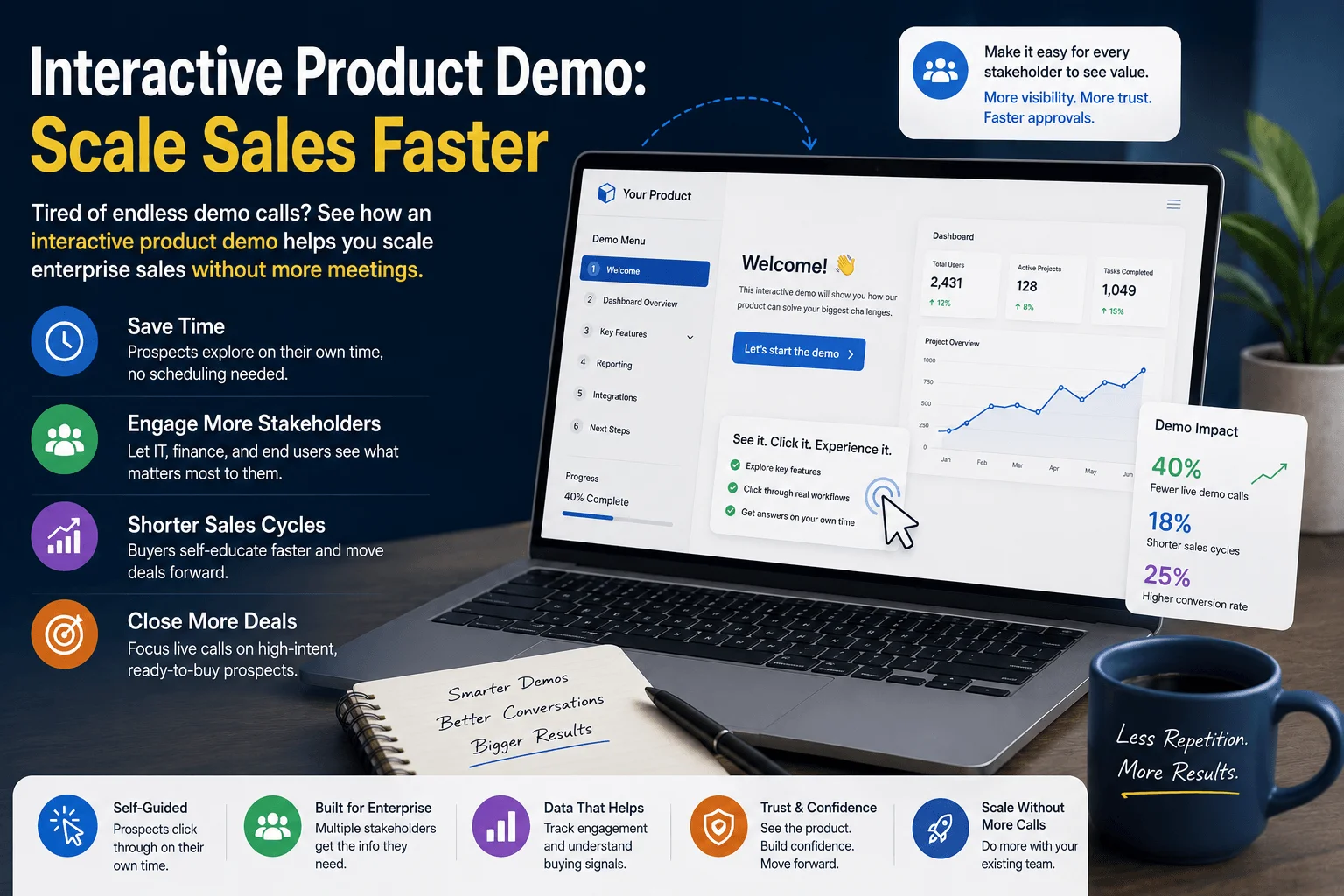
An interactive product demo can save your sales team from burning out on back-to-back calls. If your calendar is packed with demo requests, but your close rate isn’t growing, something in your process is broken.
This is a problem many B2B sales leaders know too well. A sales director named Farah managed a team of six reps. Every week, they ran over 40 live demo calls. Deals still moved slowly. Reps felt exhausted. Something had to change.
Farah’s story isn’t unique. As companies grow, enterprise buyers ask for more proof before they commit. More stakeholders want to see the product. More meetings get scheduled. But more meetings don’t always mean more sales.
This article shows you exactly how Farah’s team scaled their sales process using an interactive product demo, without hiring more reps or booking more calls. You’ll learn what worked, what didn’t, and how you can apply the same approach.
Learn more
App Demo Videos That Drive More Downloads and Conversions
What Is an Interactive Product Demo?
An interactive product demo is a self-guided walkthrough of your product. Prospects click through it on their own time, just like using the real software.
Unlike a video, it responds to clicks. Unlike a live call, it doesn’t need a rep present.
This simple shift changes everything about how buyers explore your product.
Why Enterprise Prospects Keep Asking for More Demos
Enterprise deals involve many decision-makers. Each one wants to see the product before signing off.
Here’s what usually happens:
- The IT team wants a security walkthrough.
- The finance team wants to see reporting features.
- The end users want to see daily workflows.
Without a scalable solution, your sales team ends up repeating the same demo three or four times per deal.
Farah’s team was stuck in this exact loop. One deal alone needed five separate live demos before it closed.
Learn more
Why Most SaaS Apps Fail to Convert New Users (And How App Demo Videos Fix the Problem)
The Real Cost of Manual Demo Meetings
Live demos feel personal, but they come with a hidden cost.
Each meeting takes:
- Time to schedule across time zones
- 30 to 60 minutes of live presentation
- Follow-up emails and rescheduling when someone can’t attend
Multiply this across dozens of deals, and your sales team spends more time presenting than closing.
Farah calculated her team’s numbers. Reps spent nearly 15 hours a week just on demo calls. That’s almost two full working days lost to repetition.
Learn more
App Retention Rate: Why Users Delete Your App After First Use (And How Demo Videos Reduce Churn)
How an Interactive Demo Changes the Sales Process
Farah’s team built a simple, self-guided walkthrough of their core product features. They shared the link after the first qualifying call.
Here’s what changed:
- Stakeholders explored the product without waiting for a live call.
- Reps only jumped on calls for high-intent, ready-to-buy prospects.
- Deal cycles shortened because buyers self-educated faster.
Within two months, Farah’s team cut live demo calls by 40%. Their close rate went up, not down.
Learn more
Your SaaS Has Too Many Features? Here’s Why Users Feel Overwhelmed and Leave
Step-by-Step: How to Build Your Own Interactive Product Demo Strategy
You don’t need a big budget to start. Follow these steps:
Step 1: Map Your Buyer’s Journey
Identify where prospects usually get stuck asking for repeated demos. This is where a guided walkthrough helps most.
Step 2: Build a Focused Walkthrough
Keep it short. Show the top three features that solve your buyer’s biggest problem, not your entire product.
Step 3: Personalize by Buyer Type
Create separate paths for technical buyers, finance buyers, and end users. Each group cares about different things.
Step 4: Share It Early in the Sales Process
Send your demo link right after a discovery call. Let prospects explore before you schedule a live meeting.
Step 5: Track Engagement Data
Good demo tools show you which slides or features prospects spend the most time on. Use this data to guide your next conversation.
Real Results from Scaling with an Interactive Product Demo
Farah’s team saw three major wins after making the switch:
- 40% fewer live demo calls per month
- 18% shorter sales cycles on enterprise deals
- 25% higher lead-to-opportunity conversion, since only serious buyers booked live calls
These numbers came from six months of tracked data, compared against the previous six months.
Common Mistakes to Avoid
Even with the right tool, teams can get this wrong. Watch out for:
- Making the demo too long or feature-heavy
- Skipping personalization for different buyer roles
- Not following up after prospects engage with the demo
- Treating it as a replacement for all human interaction, instead of a filter
Conclusion: Scale Enterprise Sales with an Interactive Product Demo
You don’t need more meetings to close more deals. You need a smarter way for buyers to explore your product on their own.
An interactive product demo lets your team focus energy where it matters most, on ready-to-buy prospects, not repeat presentations.
Start small. Build one guided walkthrough. Track the results. Like Farah’s team, you may find your sales cycle gets shorter while your calendar gets lighter.A. Track engagement time, which features get the most clicks, and how many viewers convert to a live meeting request.
FAQs
A. It lets prospects explore your product on their own, without waiting for a live sales call. This speeds up buyer education and shortens sales cycles
A. No. It filters out early-stage browsing so your team can focus live calls on serious, ready-to-buy prospects.
A. Keep it short and focused. Highlighting three to five key features usually works better than showing your entire product.
A. Yes. Even a two-person sales team can save hours each week by letting prospects self-explore before booking a call.
A. Track engagement time, which features get the most clicks, and how many viewers convert to a live meeting request.
Add a Comment