


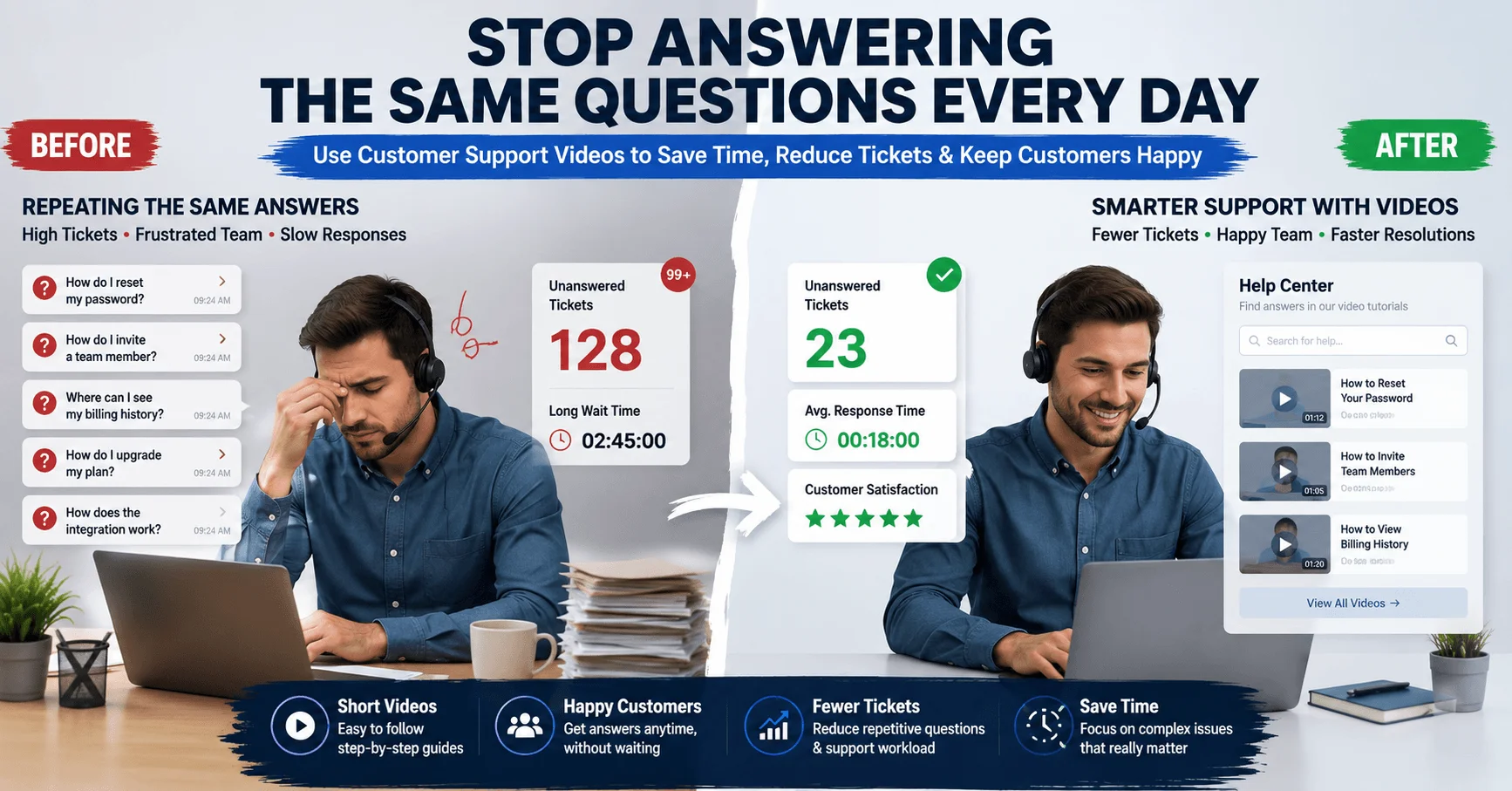
A customer support video can end the endless loop of answering the same question, again and again. If your support team feels stuck on repeat, this article is for you.
Picture this. Your support inbox opens on a Monday morning. Ten tickets sit there. Eight of them ask the exact same thing they asked last week. Your team feels tired before the day even starts.
This is exactly what happened to a support manager named Yusuf. His SaaS company grew fast. But his support team grew exhausted. The same five questions kept showing up, day after day, from different customers.
Yusuf didn’t need more support agents. He needed a smarter way to answer common questions before they became tickets. This article shows you exactly how he did it, and how a customer support video can do the same for your team.
Learn more
App Demo Videos That Drive More Downloads and Conversions
Why Support Teams Keep Answering the Same Questions Without a Support Video
Most SaaS products have a few tricky features. New users hit the same confusion points every time.
Here’s what usually causes repeat questions:
- Unclear onboarding steps
- Features that aren’t self-explanatory
- Written help docs that are too long or hard to skim
Yusuf’s team spent hours each week typing the same answers into chat. It felt like a broken record.
The Real Cost of Repetitive Support Tickets Without Support Videos
Every repeated question costs your team time. Time adds up fast.
Yusuf tracked his team’s data for one month:
- 62% of tickets were repeat questions
- Each repeat ticket took 8 minutes to answer
- That added up to over 20 hours a week, just on repeats
Twenty hours a week is half a full-time employee’s schedule. All spent typing the same answers.
Learn more
Why Most SaaS Apps Fail to Convert New Users (And How App Demo Videos Fix the Problem)
How a Customer Support Video Solves This Problem
A customer support video shows customers exactly what to do, using visuals instead of long text.
Instead of writing paragraphs, Yusuf’s team recorded short screen videos answering their top five questions.
Here’s what changed:
- Customers watched a 90-second video instead of waiting for a chat reply.
- Support agents linked the video directly in the help center.
- New users found answers on their own, without opening a ticket.
Within six weeks, repeat tickets dropped by 35%.
Learn more
Enterprise Prospects Keep Asking for Product Demos? Here’s How to Scale Sales Without More Meetings
Step-by-Step: Building Your Own Support Video Library
You don’t need fancy equipment to start. Follow these simple steps:
Step 1: Find Your Top Repeat Questions
Look at your last 30 days of support tickets. Sort them by topic. Your top five questions are your starting point.
Step 2: Keep Each Video Short
Aim for 60 to 90 seconds per video. Show the exact steps on screen, with simple narration.
Step 3: Add Videos to Your Help Center
Place each video next to its matching written answer. Some customers prefer reading, others prefer watching.
Step 4: Link Support Videos Inside Chat Replies
When a repeat question comes in, agents can share the video link instead of retyping the same answer.
Step 5: Update Your Support Videos When Features Change
Outdated videos confuse customers more than no video at all. Review them every few months.
Learn more
Why Free Trial Users Don’t Convert Into Paying Customers (Even When They Love the Product)
Real Results from Adding Video to Support
Yusuf’s team saw clear wins after adding video answers:
- 35% fewer repeat tickets within six weeks
- 20% faster average response time, since agents reused video links
- Higher customer satisfaction scores, since answers were clearer
These numbers came from comparing three months before and after launching the videos.
Common Mistakes to Avoid
Even a good idea can fail with the wrong approach. Watch out for:
- Making videos too long or too detailed
- Forgetting to update videos after product changes
- Not tracking which videos actually reduce tickets
- Hiding videos where customers can’t easily find them
Conclusion: Let Video Handle the Repeat Questions
Your support team shouldn’t spend hours typing the same answers every week. A customer support video lets customers help themselves, while your team focuses on harder problems.
Start with your top five questions. Keep each video short and clear. Track your ticket numbers before and after.
Like Yusuf’s team, you may find your support inbox gets quieter, and your customers get happier.
FAQs
A. It answers common customer questions with a short screen recording, so customers get help without waiting for a live agent.
A. Keep it between 60 and 90 seconds. Short, focused videos work better than long tutorials.
A. No. They handle repeat, simple questions, freeing up agents for complex customer issues.
A. Add them to your help center and inside chat replies, so customers can find them wherever they ask their question.
A. Review them every few months, and update immediately after any major product or feature change.
Add a Comment